
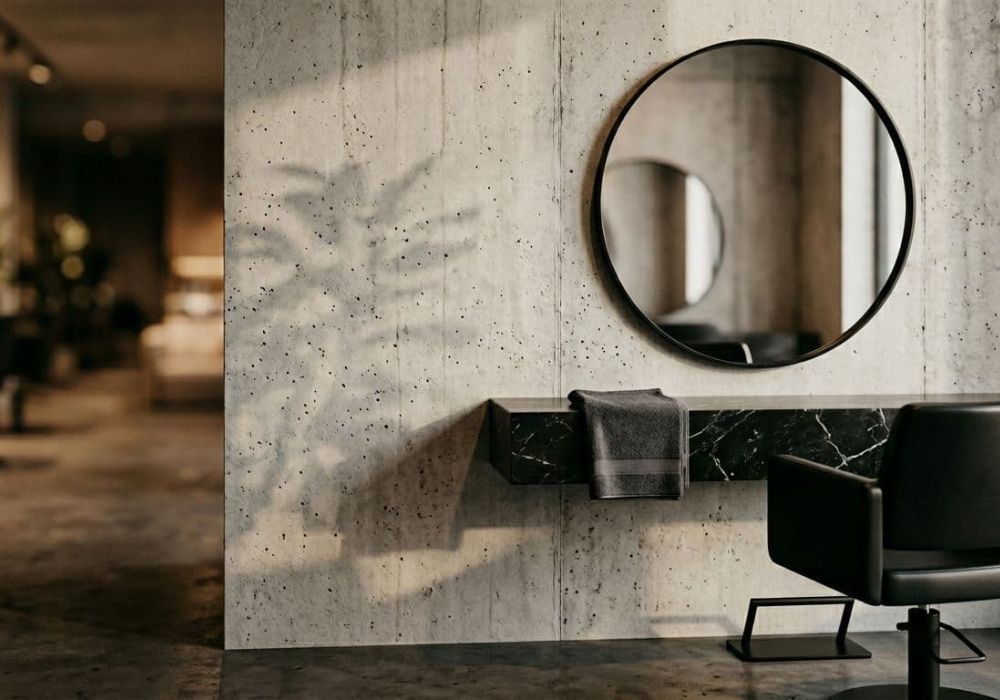


A “Website in a Day” sounds dreamy, right? It’s like a VIP Day experience for small business owners who are in the beauty industry, similar to getting a fresh set and leaving the salon with perfect nails. But if you show up without a plan, it turns into that one client who says, “Just do whatever you think,” then panics halfway through the blowout.
This website prep checklist is what to gather before your design day, so we can build fast, make confident choices, and get you back to doing what you actually get paid for (not hunting for a blurry logo from 2018).
If you’re a hairstylist, salon owner, or any beauty pro who wants a polished Showit website without the chaos, the preparation remains the same. Start here.
Get your basics locked in before design day (aka: no loose ends)
For any service-based business, a professional digital presence starts with clarity. A one-day website build moves fast because decisions are already made. The goal is to avoid stopping every 12 minutes to ask, “Wait, what’s your booking link again?” or “Do you want to sound luxury, laid-back, or spicy?”
Here’s what to confirm before we even open Showit.
Your site goals and non-negotiables
Be clear on what “success” looks like. Not in a vague vision-board way, in a “what do we want people to do” way.
- Primary action: book online, apply, inquire, buy, join a waitlist
- Ideal clients and target market: highlight color clients, extension clients, bridal, corrective color, etc.
- Your boundaries: what you won’t offer, who you’re not for, what you don’t tolerate (late cancellations, price shoppers, the “Can you fix box dye for $80?” crowd)
Your essential web pages
These are the core of a client-winning website. Most beauty pros don’t need a 14-page website. You need the right pages, with the right info, so people trust you and book.
Common “Website in a Day” page list:
- Home
- About
- Services (or Service Menu)
- Portfolio (or Gallery)
- Contact (or Inquire)
- Policies/FAQ (sometimes combined)
Access and links (the unsexy stuff that saves hours)
Having these ready and tested is vital for a website build:
- Domain login (where you bought your domain)
- Any current website login (if you have one)
- Booking link (Square, Vagaro, GlossGenius, Boulevard, Acuity, etc.)
- Discovery call software link (Calendly, etc., if you use one)
- Email list platform link (if you use one)
- Instagram and TikTok handles
- Google Business Profile link (if you have not set it up, here is a guide)
If you don’t have something yet, that’s fine. Just don’t pretend you do. Nothing burns time like “I think I set that up?” energy.
Gather the content that makes your site feel expensive (even before the design)
Use our website content workbook as the primary tool for gathering images and copy. Design is the wrapper. Content is the gift inside. If your words and photos are messy, the site will still feel messy, even if it’s technically pretty.
For a smooth design day, collect your content ahead of time, in finished form. Not “draft vibes.” Finished.
Service info that answers real client questions
Your service menu isn’t just a list. It’s your chance to pre-qualify clients and cut down on back-and-forth DMs.
Bring:
- Service names (keep them consistent)
- Starting prices or ranges (whatever fits your business model)
- What’s included (gloss, toner, blowdry, styling, etc.)
- Typical timing (so people stop booking “full highlight” in a 45-minute gap)
- Add-ons
- Who each service is best for (this is huge for hair salons)
If you’re a salon owner, also decide if you’re featuring the salon as a brand, or individual stylists too. Both can work, but the layout changes a lot. Striking the right strategy vs implementation balance is crucial for an SEO-optimised website.
Your “trust builders” (the stuff that gets people to actually book)
Website branding is about more than colors. People don’t book because you said you’re “passionate.” They book because they feel safe.
Collect:
- 5 to 10 testimonials (name, service, city optional)
- 5 to 10 screenshots of reviews (we can pull the wording, but ask first)
- Before-and-after photos you’re allowed to use
- Any credentials you want to mention (specialty trainings, years behind the chair, awards)
Photos that don’t scream “I cropped this from Instagram”
If your photos are dark, blurry, or taken under a ceiling fan light, your site will feel like a budget option. Even if you’re not.
Aim for:
- A clean headshot (friendly, current, high-res)
- 5 to 15 portfolio images (hair, skin, lashes, brows, injectables, whatever you do)
- 3 to 8 “brand” images (your space, tools, product shelf, detail shots)
- A team photo (if you have a team)
Quick tip: pick images with consistent lighting. Mixing warm golden salon lighting with icy outdoor daylight in the same gallery feels chaotic.
Your policies, written like a grown-up business
Salon policies are not a punishment. They’re a filter.
Have these ready:
- Cancellation and reschedule policy
- Late policy
- No-show policy
- Deposit rules (if you take one)
- Refunds (especially for product sales or services)
- Kids, guests, and phone use expectations (if relevant)
Keep it short. Clear. No novel-length trauma dumping. Your site should sound confident, not defensive.
Put it all in one place (because “it’s in my camera roll” is not a system)
If your design day is the appointment, your prep is the clean, sectioned foils. We can’t do smooth work if everything is tangled.
This productized service, a way to finish your site in 8 hours or less, relies on this part of the website prep checklist to keep your build moving.
Create one simple folder (and name things like a sane person)
Content planning starts here. Make one master folder in Google Drive or Dropbox. Inside, use these folders:
- Brand (logo, colors, fonts)
- Photos (headshots, portfolio, space)
- Copy (written content)
- Proof (testimonials, reviews, press)
- Links (booking, socials, forms)
Rename files so they’re searchable. “IMG_4839” means nothing. “blonde-balayage-before-after-1.jpg” means everything.
Use this mini checklist for file formats
Here’s what’s actually helpful on design day:
| Item | Best format | Notes |
|---|---|---|
| Logo (primary) | PNG (transparent) | High-res, not pixelated; compatible with our website platform |
| Logo (alternate) | SVG or PNG | Good for light and dark backgrounds; meets website platform requirements |
| Brand photos | JPG | Upload high-res, we’ll size as needed |
| Copy | Google Doc | One doc beats 47 text messages |
| Testimonials | Doc or Sheet | Include names and service type |
| Links | Text file or Doc | Include booking, socials, forms; add domain transfer details for technical readiness |
If you don’t have a full brand kit, no shame. Just bring what you have, and be open to a refresh.
Your “day-of” expectations (so we’re not designing around your errands)
Website in a Day works best when you’re available for quick answers. Not all day on Zoom, just reachable.
Plan for:
- 2 to 4 short check-in calls for approvals
- A quiet spot (carpool line is not ideal, but do what you must)
- Fast decisions on layouts, photos, and wording
- One person giving feedback (not you, your business partner, your cousin, and your group chat)
Also, eat. Hydrate. You make better choices when you’re not running on iced coffee and spite.
Conclusion: show up prepared, leave with a site that books for you
A Website in a Day is magic when you treat prep like part of the service, not an optional warm-up. Gather your content, organize it, and make a few key decisions early. Then design day becomes fun, fast, and honestly kind of satisfying, especially since website design packages for professional services are most effective when they include mobile optimization.
If you want a Showit site that looks polished and helps attract better clients, this “Website in a Day” prep checklist for beauty pros is your starting line. Now go make that folder, future you will be obsessed. Once the site is live, video tutorials can help you manage your new site, so you can launch confidently.


Get a rock star website in 1 day!
One day. One dreamy website.
My Website in a Day service is perfect for beauty pros who need a polished, professional online presence—like, yesterday. We’ll take one of my custom-designed Showit templates and tailor it to your brand, style, and services in just one day. You’ll walk away with a site that books clients, builds trust, and looks like a million bucks (without taking forever to launch).


